
How to Search Cases by Name
Names are a weaker key than numbers. Hopkins County has no single public screen covering every court, so pick the right one. The official District Court Dockets hub serves the County Court at Law, 8th District Court, and 62nd District Court. A justice-court matter or a city citation needs the Justice Court or municipal route instead. The county's local Easydocs search screens carry no published field labels or matching rules to rely on. Treat any name search there with care. Confirm matches with the clerk.
- Identify the court from a notice, citation, pleading, or other case paper before choosing a search route.
- Use the exact last name and first name as filed. If no match appears, test a middle initial, no middle initial, and a known alternate spelling.
- Narrow by court and approximate year where the live system permits it. Do not assume those controls exist on an unavailable local screen.
- Compare likely matches by court, case category, filing date, and style. Open case details only after those facts align.
- Write down the cause number and custodian. Contact the clerk if the result is unclear, stale, or missing documents.
The field list below reflects the statewide system rather than the local Easydocs screens. Per the statewide guide, the documented re:SearchTX search lanes and controls are these:
| Field or control | Type | Required | Use and limit |
|---|---|---|---|
| Cases, Filings, Text, Hearings | Search tabs or cards | Choose a lane | Each searches a different record layer. |
| Search bar | Text entry | Varies | Use with the selected lane and filters. |
| Left filters | Filter controls | No | Narrow returned statewide records. |
| Advanced search | Category search | No | Offers more criteria for the chosen category. |
| Case, filing, hearing links | Detail links | No | Open the matching detail view. |
Hopkins County Court-First Lookup
Court number comes first, because Hopkins County case records sit with different offices. The Hopkins County District Clerk keeps district-court records. The Hopkins County Clerk holds county-clerk records and parts of county-court and probate work. The County Court at Law page itself warns that both offices maintain its records. Confirm the case type and court. Justice and municipal courts keep their own dockets. A felony or district civil matter travels a different route than a JP debt claim or a city citation. Begin with the paper that opened the case. Its court heading beats any broad name match. When the court is unclear, the Hopkins County District Clerk can confirm district routing, and the county, JP, or municipal office can confirm its own docket. A name match in the wrong court is simply a different case, even when party names and filing years look close.
How to Search by Case Number
For a Hopkins County case lookup, the cause number is the strongest key you can hold. Type it exactly as printed on the notice, pleading, citation, or receipt. Keep all punctuation and leading zeroes unless the live screen says otherwise. Then check that the result names the right court and case category. No published local pattern ties a year, type code, and sequence together. Inventing one invites errors. Your reliable example is exact cause number from your court paper, not a made-up Hopkins County code. If the full entry fails, try only the changes the search screen allows. One safe change is dropping display punctuation. Never guess at prefixes. The same number means nothing without the court that issued it. Once a match opens, save the cause number beside the court name. Those two facts let a clerk pull the file fast. They let you return to the same docket. They also prevent mix-ups when similar cases appear.
Hopkins County re:SearchTX Lookup
Texas re:SearchTX is the statewide electronic search layer for court records. Public users can register. They can also sign in with eFileTexas credentials. Once inside, four lanes open up: Cases, Filings, Text, and Hearings. Click a case description and Case Details appears. A filing opens Filing Details. A hearing type opens hearing details. There are also filters, advanced searches, export, and saved-search tools, per the official quick guide.
The re:SearchTX landing page shows the sign-in screen and the entry points for a Hopkins County docket search.
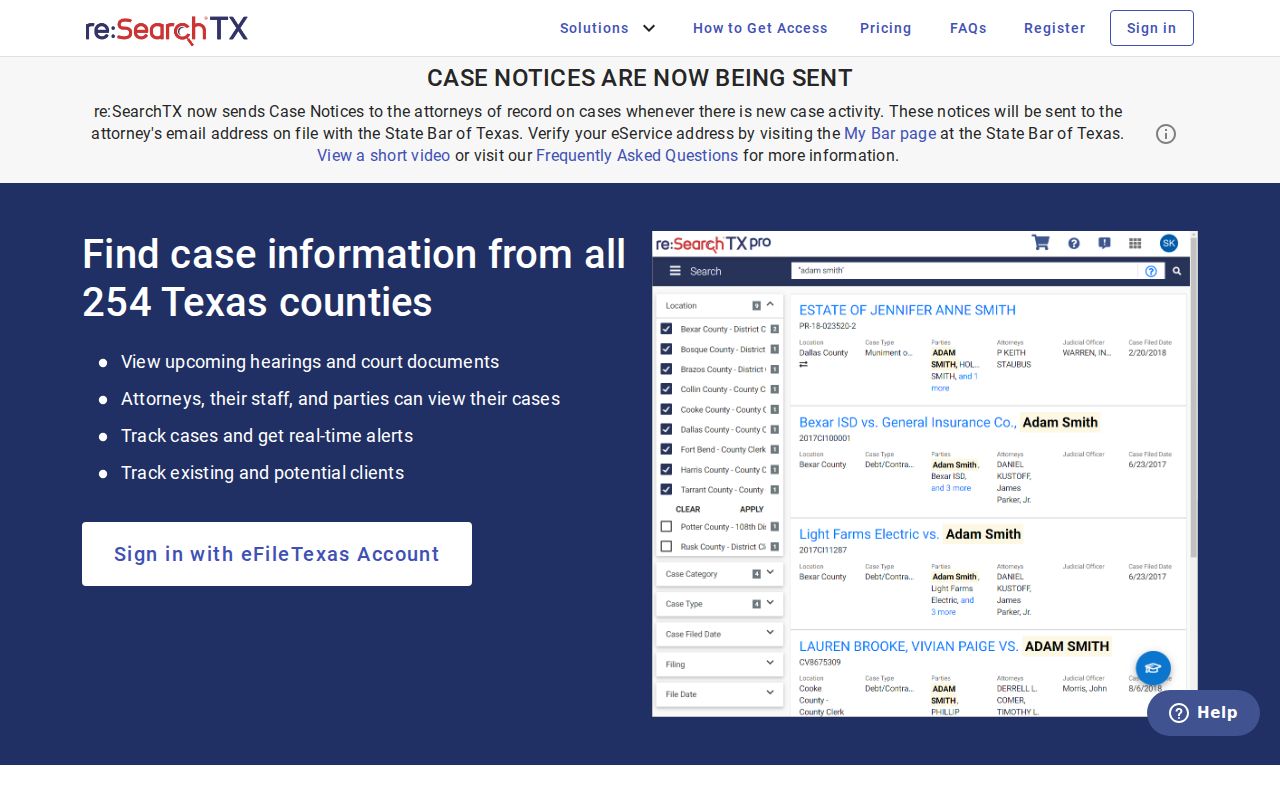
Statewide reach still has limits. Texas Judicial Council material reports the collection excludes criminal case records. It describes an integrated scope dating back to 2016. Confidentiality, sealing, redaction, court type, timing, and integration can each affect what appears. Filing through eFileTexas does not guarantee unrestricted public display in re:SearchTX. Whatever a search returns must still be tied back to the Hopkins County court. Confirm it with the office keeping the record.
What a Case Search Shows
A Hopkins County case lookup can return several layers. A result row may identify a case, and its detail page may list filings or hearings. Read each item as an index to court activity, never as a certified copy of the judgment. A motion entry records a request. It does not show the judge granted it. An order records a court's direction, and the signed document itself may be needed to know its full effect.
| Cause number | The court-assigned identifier; confirm its exact local format from the record. |
|---|---|
| Style or caption | The case title used to distinguish parties and matters. |
| Court and judge | The court that holds the file and the judge shown for the relevant event. |
| Case category | Civil, family, criminal, probate, JP, municipal, or another case lane. |
| Filing date | A date that helps separate close name matches and older matters. |
| Docket entries | Chronological notes of filings, service, motions, orders, settings, and disposition. |
| Next setting | A court-date lead that must be checked for a later reset. |
| Status | A procedural state or outcome that does not replace the signed judgment or order. |
| Document link | A possible route to an image or PDF, subject to access and copy limits. |
| Restriction message | A clue that material is sealed, confidential, redacted, unavailable, or held elsewhere. |
Write down what the result says and what it leaves out. When legal effect matters, ask the proper clerk for the underlying order or judgment.
Hopkins County Result Layers
Case Details, Filing Details, and hearing details each answer a different question. Case Details identifies the whole matter, while Filing Details covers one submitted document or docket event, and hearing details track a scheduled setting. A Hopkins County case lookup may expose one layer and not the others, depending on the source and its access rules.
- Case Details
- The case-level view, including identifiers, category, and status where displayed.
- Filing Details
- Information about one filed item; acceptance into the file is not a ruling.
- Hearing Details
- The date and setting data tied to a court event.
- Docket entry
- A chronological note of a filing, event, order, setting, or disposition.
- Document image
- The underlying PDF or scan, which may require separate access, payment, or clerk contact.
A payment screen sits in its own lane. It can quote an amount or offer a transaction button yet reveal nothing from the court docket or the filed papers behind it. So match the tool to the job. When you mainly need to confirm a hearing date rather than read the whole file, the Hopkins County court dates page is the better stop.
County vs Statewide Case Search
County tools and statewide tools answer different questions. The Hopkins County docket hub connects you straight to its three named trial courts, each with its own docket search. re:SearchTX casts a wider net. It pulls participating electronic filings from across Texas, but its reported criminal exclusion and patchy integration make it a shaky final answer for a Hopkins County matter. Treat both as starting points, not endings. When a portal is down, a result goes missing, or you need an official copy, only clerk verification closes the gap.
| Point | Hopkins County route | Statewide re:SearchTX |
|---|---|---|
| Starting choice | County Court at Law, 8th District, or 62nd District | Cases, Filings, Text, or Hearings |
| Best use | A known local court or setting | A participating electronic case or filing across Texas |
| Access step | Follow the official county court link | Register or sign in with eFileTexas credentials |
| Known limit | Easydocs was unavailable during research | Reported criminal exclusion and integration limits |
| Final check | Local clerk or court | Originating court or clerk |
Appellate research takes a different tool. The official TAMES appellate search covers Texas appellate courts and supports both case and document searches. Keep in mind it is not a Hopkins County trial-court docket.
When Hopkins County Results Fail
A blank screen proves almost nothing. Maybe the name is spelled differently in the court records. Maybe you searched the wrong court, the statewide system never received that record type, or the local vendor is simply offline. A case can also be sealed, confidential, or redacted. Some Hopkins County records are not yet imaged. Others sit older than the electronic range the docket search covers. Before trying again, write things down. Note the URL, the court selector, the time, and the exact error.
- Retry the official county page instead of moving to a commercial people-search source.
- Search the exact cause number and court when those facts are known.
- Try supported spelling and date variations for a name search.
- Ask the custodian whether the file is restricted, not yet online, or held by another office.
- For a criminal matter absent from re:SearchTX, use the local court and clerk route.
Email is often the fastest fix. The District Clerk's public address is dclerk@hopkinscountytx.org, and a message that names the court, the cause number if known, the case type, and the specific record or setting will get a real answer. One caution, though. A single empty online search is never enough to conclude that a Hopkins County case is sealed or does not exist.
Restricted Cases and Access Rules
Public access to court records has hard legal limits. Texas Family Code Chapter 58 governs confidentiality for juvenile records. In civil cases, sealing falls under Texas Rule of Civil Procedure 76a. Expunction follows a different framework entirely: Code of Criminal Procedure Chapter 55A. A protective order or a case-specific court order can also wall off content. When that happens, public screens change. They may drop the matter, hide documents, redact data, or show only a thin index entry.
Judicial records that are not case records sit under a different rule. Texas Supreme Court Rule 12 governs those. Courts also enjoy a judiciary exception from ordinary Texas Public Information Act processing. Case-record access instead follows court rules, statutes, and sealing orders. Send the request to the office that keeps the record. Give the clerk enough detail to find it.
A restricted result is not a bypass prompt. Ask the Hopkins County clerk what public portion, redacted copy, or authorized access process applies. Court staff cannot grant access that a statute or court order bars.
These three conditions are not the same thing. A missing name, a blocked document icon, and a truly sealed case each mean something different, so let the portal notice, the governing rule, and the clerk tell you which one you are looking at.
Audit a Hopkins County Result
Trust a Hopkins County case lookup only after you check it against the source paper or a clerk response. Confirm the court name, the exact cause number, the style, the case category, the filing date, the current status, the next setting, and any document link. Read a motion next to its later ruling. Read a disposition beside the signed judgment when the outcome matters, because a docket entry alone is not the final word.
Then note where the file actually lives. District files generally route to the Hopkins County District Clerk. County and probate work may land with the Hopkins County Clerk, while the County Court at Law can involve both offices. Justice and municipal files stay with those courts. That routing step is what turns a web result into a real path to the official court record.