
Hopkins County Court Calendars Explained
Hopkins County offers more than one calendar layer. The county's official public notices calendar carries a Court Dockets category. A separate District Court Dockets page carries the label "Cases Set By Court." It sends readers to the County Court at Law, the 8th District Court, or the 62nd District Court view. Each route serves a different need. The calendar lists events. A court-specific docket identifies the cases set before that one court.
No single Hopkins County court calendar covers every district, county, justice, and municipal matter. A calendar entry is not the full case file either. It gives a useful date lead. The docket and the clerk remain the sound sources for the case number, current status, and filed orders.
Hopkins County Calendar Controls
The county calendar gives you several ways to keep or share its current view. Print to PDF, download, iCal, and RSS are all built in. Pick the Court Dockets category first, narrow the events. Then choose the format that fits your task. An iCal feed can track published events. A PDF preserves what the calendar showed at a given point. The official Hopkins County calendar source shows these controls on the county's own page.
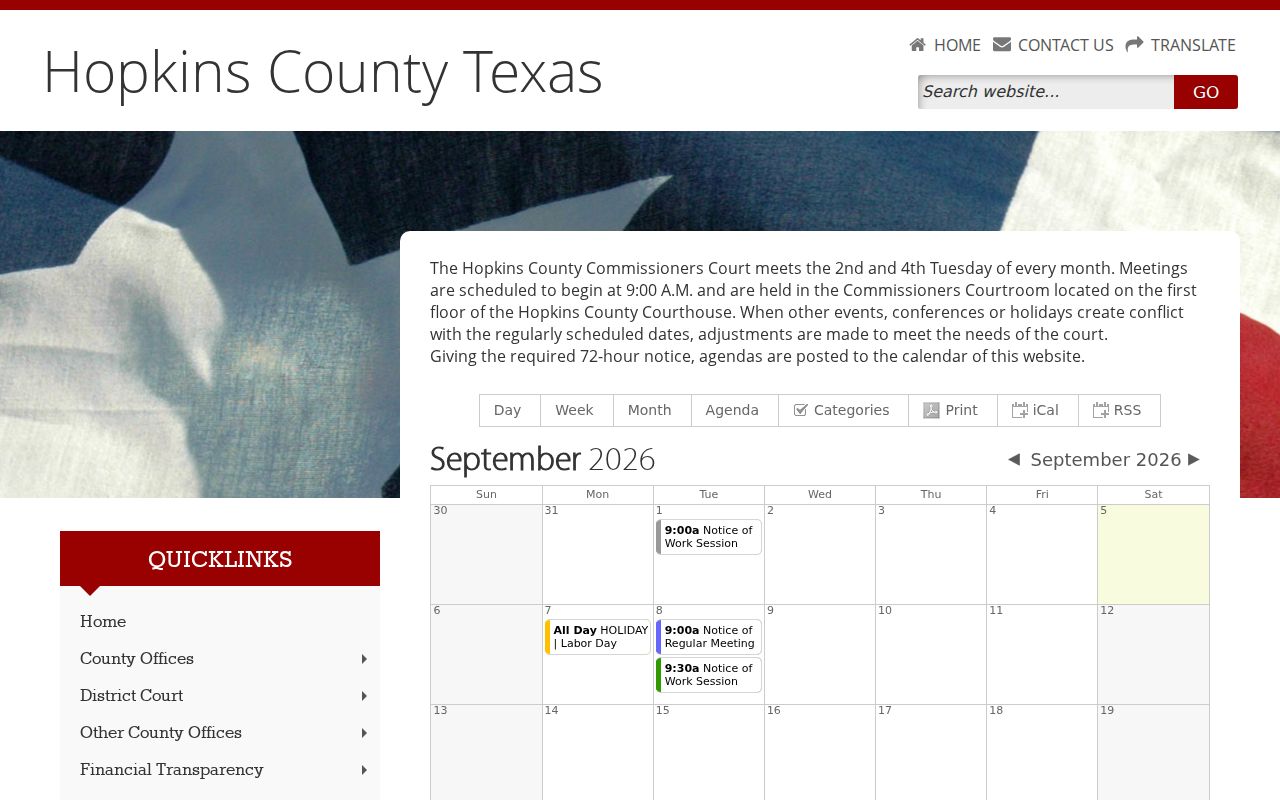
A saved calendar view is a starting point. It flags a Hopkins County court date. It is not proof that no later reset or court order exists. Exporting the county calendar does not export a full Hopkins County court docket. The local Easydocs court views may offer no export tools at all. Keep the court name and cause number with any saved item. Then check again close to the hearing.
Finding Your Court Date
Use every channel the court provides. A Hopkins County court date may sit in the online docket hub, on a judge's page, on the county calendar, in a mailed notice, or with a clerk call. You can also schedule directly with the County Court at Law. Texas re:SearchTX serves as a statewide cross-check for participating electronic records. It is not a complete local calendar. Its statewide coverage has limits.
- Identify whether the case belongs to the County Court at Law, 8th District Court, 62nd District Court, a Justice Court, or a municipal court.
- Check the official docket hub and relevant court page. Use the calendar’s Court Dockets category when the goal is a date rather than a full file.
- Search with the exact cause number when available. Otherwise prepare the party name, court, approximate year, and likely hearing period.
- For a Justice Court date, use the notice mailed by the court or call with the name and case number. For County Court at Law scheduling, follow its party-only email process.
- Cross-check a civil electronic matter through re:SearchTX when useful, but do not treat a missing statewide result as proof that no local setting exists.
- Confirm the date, time, court, location, setting type, and appearance method with the named court or clerk.
The county posts no confirmed daily printed calendar, and courtroom posting details are not published either. So the safe fallback is direct contact. Never rely on an unofficial copy. A full Hopkins County case lookup can help you find the cause number you need for that call.
Three Hopkins County Docket Routes
The local docket hub splits settings by court. Three lanes are listed: County Court at Law, 8th District Court, and 62nd District Court. The 8th District Court page offers a View Online Docket route. The 62nd District Court page links a judge's calendar. It also links online dockets.
| Court route | Calendar lead | Fallback |
|---|---|---|
| County Court at Law | Criminal docket link and scheduling instructions | Contact the court for the current setting |
| 8th District Court | Online docket link on the court page | Confirm through the District Clerk |
| 62nd District Court | Judge’s calendar and online docket links | Check the current court page and District Clerk |
All three Easydocs destinations can return an unavailable or empty response. An outage does not erase your Hopkins County court date. Go back through the official county page and call the proper clerk if the vendor view still fails.
How to Read a Court Setting
Read a Hopkins County court setting as a group of linked facts. The date alone is not enough. Match it to the right cause number. Then add the court, the judge, and the setting type. A permanent judge and a visiting or assigned judge may not be the same person. An assignment order can apply only during stated periods. Location varies by court too. Trust the specific notice over the county name alone.
| Date | The scheduled day, subject to a later reset or cancellation. |
|---|---|
| Time | An individual time or a broader docket-call time. |
| Courtroom | The room and building stated by the court notice or current docket. |
| Judge | The presiding, visiting, or assigned judge for that date. |
| Setting type | Pretrial, arraignment, motion, trial, hearing, docket call, probate, family, or citation setting. |
| Case number and style | The identifiers that distinguish one matter from another. |
| Status | Set, reset, cancelled, passed, disposed, or another court label that should be verified. |
| Appearance method | In person or another method only when the current court instruction says so. |
Historical County Court at Law pages mention weekly dockets and livestream material, but they are archival evidence rather than a promise of current remote access.
Note: Keep the cause number beside every saved Hopkins County court date so the clerk can verify the exact setting without a name-only search.
Continuances, Resets, and Cancellations
A reset shifts a Hopkins County setting to another day. It does not dismiss the case. A continuance postpones an event under that court's own procedure. A cancellation wipes the listing, and the case can stay open. Read the newest docket entry first. Then ask the clerk to confirm the next live court date before you plan around it.
The current County Court at Law page links reset resources. Coverage runs to both civil and criminal settings. A 2023 waiver-of-arraignment procedure laid out one path. The attorney contacts the coordinator, the defendant signs the reset form, and that form plus a Motion to Waive Arraignment are e-filed before court day. That same document mentioned Thursday morning pretrial dockets. Its stated time and named official should not be read as a standing promise. Trust the current page over any older instruction.
Note: A saved calendar feed can lag behind a case-setting change. Verify the live Hopkins County court date whenever an appearance is close.
Hopkins County Scheduling Rules
The County Court at Law adds a scheduling rule of its own. It is stricter than the general Hopkins County calendar. Only a party may set a hearing there. Family and friends cannot do it on a party's behalf. Before any date goes on the docket, the other side must be served. Or a waiver can be filed. Requests go to ccl@hopkinscountytx.org. That email address fits this one court's instructions, not every Hopkins County court calendar. District settings run through the district court and the District Clerk. JP and municipal cases stay with their own courts. When a case moves or gets appealed, check with the new office. Do not trust an old notice.
If You Miss a Court Setting
Call the court or clerk right away.
Have the cause number, court name, and missed date ready.
Ask what the Hopkins County court docket shows now. Also ask which official motion, reset, or appearance step applies. If counsel represents a party, contact counsel too. An old calendar export or a third-party reminder never replaces the current instruction from the court.
Act promptly. The Hopkins County JP page says a defendant’s failure to appear can result in default judgment, while a plaintiff’s absence may result in dismissal.
Other courts and citation matters can follow different rules, so ask the court named on the notice what the docket now requires.
A licensed Texas attorney can advise on rights and the right filing after a missed Hopkins County court date.
One caution applies. The clerk cannot excuse your absence or hand out legal advice. So keep your questions factual and procedural when you call. Is the matter still set on the docket? Was an order entered? Is there a new hearing date, and what form or motion does the court require from you?
Prepare a Hopkins County Date Check
A few notes written down first will make any Hopkins County court date check faster. Jot the exact cause number, the court, the party name as it was filed, a rough date range, and the type of setting you expect. If a calendar and the docket disagree, record both dates along with the time you checked each source.
- Docket call
- A grouped calendar call whose exact local practice depends on the court.
- Setting
- A scheduled court event with a date, time, court, and purpose.
- Reset
- A change from one scheduled setting to another.
- Continuance
- A postponement granted or processed under the rule for that court.
- Passed
- A status label that must be read in its local docket context and confirmed with the clerk.
Close out your date check by reading the details back to court staff. Repeat the date, time, location, and how you are set to appear. That quick repeat catches slip-ups like a wrong precinct, a district-court mix-up, or a stale Hopkins County calendar entry.