
Getting Hopkins County Court Records
Begin any request with the named court, not a general county office. The Hopkins County District Clerk comes first for district cases. The Hopkins County Clerk keeps county-clerk records and much of the county-court and probate set. For the County Court at Law, both clerks maintain records. The case type decides which desk you need. Justice courts and municipal courts keep their own files.
The county's official docket hub can show where a matter was set. That may be the County Court at Law, the 8th District Court, or the 62nd District Court. Its Easydocs links do not always load. That makes the clerk routes the dependable ones. Texas re:SearchTX adds a statewide layer. Account and record limits mean it never replaces the local custodian.
- Identify the court, case type, party caption, and date range. Record the cause number if it is known.
- Use the official county docket link or Texas re:SearchTX to locate enough information to route the request.
- Contact the correct clerk by phone, e-mail, mail, or at the counter. Ask for current instructions before mailing a request.
- Name the exact docket, filing, order, judgment, or other item wanted, and choose a plain or certified copy.
- Confirm the fee, payment method, delivery option, and any redaction or access limit before paying.
Hopkins County Court Record Custody
Hopkins County court records sit in different offices. District Clerk Cheryl Fulcher works from 282 Rosemont Street, Suite 2, at (903) 438-4081. County Clerk Tracy Smith is at 128 Jefferson Street, Suite C. She answers at (903) 438-4074. The County Court at Law sits at 118 Church Street and lists (903) 438-4004. Three distinct routes, all handling Hopkins County matters.
For a County Court at Law file, give the cause number and case type. Ask which clerk holds it. Probate, guardianship, county civil, family, and misdemeanor files may not travel the same desk path. One phone call can settle routing before a trip or a mailed request. Clerk staff explain process and fees. But they cannot pick a legal strategy or forecast a ruling.
Hopkins County District Clerk
282 Rosemont Street, Suite 2
Sulphur Springs, TX
(903) 438-4081
The official District Clerk page shows the local office and its record-routing links.
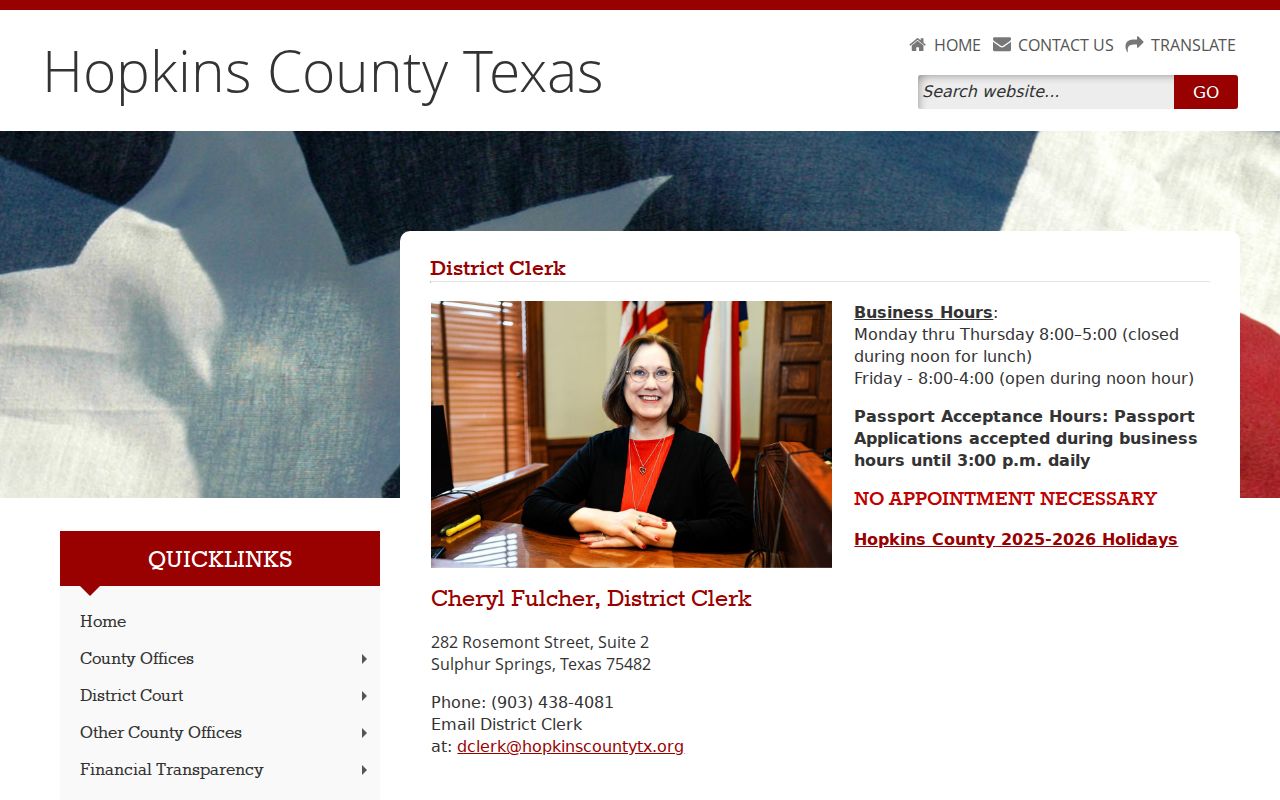
Its clerk contacts, forms, fees, orders, and cases-set links give a district-file request its best starting point.
Hopkins County Court Record Types
A docket sheet is the index of case activity in order. The full case file holds the papers behind those entries. Hopkins County court records can include a petition, complaint, information, indictment, answer, motion, response, service return, signed order, judgment, or calendar entry. An exhibit may be redacted, sealed, or unavailable. Its title can still show on the public docket.
- Docket sheets and chronological case entries
- Pleadings, motions, answers, and responses
- Signed orders, judgments, and public service returns
- Hearing and calendar records maintained by the court
- Public exhibits and attachments, subject to access limits
- Cost or payment entries when the court system records them
A transcript or court-reporter audio is a separate product. The reporter and the clerk are not interchangeable custodians. Payment details may also live in a payment portal that lacks the full Hopkins County court record.
Specify the Hopkins County Record
Broad requests can hide the real task. Pin down what you want. It might be the docket, one filed paper, a signed order, the judgment, a hearing-date confirmation, or a certified copy. Give the court, cause number, caption, and a useful date range. When a document title and filing date show in the docket, include both. That lets the Hopkins County clerk tell similar cases apart and pull the right file.
Say whether an electronic informational copy is enough. The record may be filed with another office. Ask that office and the record custodian whether certification or another authentication is required. Hopkins County publishes no special local apostille or exemplification procedure, so assume nothing about form.
Note: Do not send full birth dates, account numbers, Social Security numbers, or other unneeded sensitive data through unsecured e-mail.
Inside a Hopkins County Court Record
The fields in a Hopkins County court record tie two things together. They link the docket summary to the case file. There is no published local Easydocs format, so any invented case-number pattern would mislead you. Copy the cause number exactly as the court provides it. Then use the fields to confirm the match. The result and the requested documents should belong to the same matter.
| Cause number | The court-assigned identifier used for routing, lookup, and copy requests. |
|---|---|
| Caption or style | The case title, which helps separate people or matters with similar names. |
| Court and judge | The assigned court, such as the 8th, 62nd, County Court at Law, JP precinct, or city court. |
| Filing entries | Dated notes for petitions, motions, responses, service, and other public events. |
| Orders and judgments | Signed court directions and outcomes; the actual document controls over a short docket label. |
| Setting and status | Hearing date, time, type, reset, continuance, disposition, or other current case state. |
| Document access | A link or index entry may lead to a copy, purchase route, redaction notice, or restriction. |
A motion is a request, not a ruling. Likewise, "filed" means the clerk accepted the item; it does not mean the judge granted it.
Hopkins County Copy Choices
Copies come in more than one flavor. A plain copy reproduces the document as it stands. A certified copy adds the clerk's certification, which the receiving office may require before it accepts the record. Screenshots and portal downloads are not certified Hopkins County court records. Ask first. The receiving office can tell you whether plain or certified is enough, which may spare you a costlier product.
Fee schedules are scattered across years. The District Clerk's current page links civil and family fees effective in 2024, criminal costs effective in 2020, and sheriff and constable fees for 2026. No single schedule covers every district or county copy price today. A 2017 chart is not the present rate. Ask the correct clerk for a quote covering page count, certification charge, search work, and any delivery cost.
| Copy | What it provides | Fee status |
|---|---|---|
| Plain copy | Informational reproduction of an available document | Confirm with the custodian |
| Certified copy | Clerk-certified reproduction | Confirm by court and file |
| Portal image | Online informational view when available | Not proof of certification |
Fees and Certified Copies
One number stands out for now. The Justice Court fee sheet effective January 1, 2026 sets certified copies at $1 for the first page and $0.10 for each added page. That price covers the JP lane only. It does not bind the District Clerk, the County Clerk, municipal court, a reporter transcript, or every County Court at Law record. The office holding the file sets its own price.
| Hopkins County item | Amount |
|---|---|
| JP certified copy, first page | $1 |
| JP certified copy, each added page | $0.10 |
| District or county plain copy | Current fee not reliably located |
| District or county certification | Confirm with the correct clerk |
The JP sheet also lists civil and service charges. Those are filing and process fees. They are not court-record copy prices. Keeping the categories straight stops a $54 civil filing charge or a $100 service charge from being mistaken for the cost of a Hopkins County court record.
Historic Hopkins County Record Trail
Hopkins County records reach well past modern case files. The Texas State Library and Archives Commission catalog lists county materials on microfilm held through East Texas A&M University in Commerce. Its Commissioners Court minutes run from 1846 through 1981, spread across a detailed reel sequence. They document county government. These are not modern court dockets, so do not read them as case files.
Bring a date, a volume, and a reel boundary. The archive page maps each segment's span. Name the target clearly. Say it is a historic county minute record, so a genealogy or local-history request is not routed as a current civil or criminal case-file lookup.
Rules differ at the archive. Access and reproduction terms may not match the current clerk-copy process, so confirm them with the listed repository.
Sealed Records and Public Access
Texas treats judiciary records differently. Not every Hopkins County court record is an ordinary county public-information request. The Texas judicial open-records policy explains that judicial records other than case records fall under Texas Supreme Court Rule 12. Access to judiciary-held information runs through Supreme Court rules or other law. Texas Government Code section 552.0035 directs that flow. Case files follow other rules. They stay governed by case-record rules, statutes, and court orders.
Key access rules:
Texas Supreme Court Rule 12 generally opens covered judicial records to inspection and copying, subject to stated exceptions.
Texas Rule of Civil Procedure 76a sets the standard and process for sealing covered civil court records.
Texas Family Code Chapter 58 protects juvenile records under its confidentiality framework.
A docket entry is not the whole file. The public Hopkins County docket may show a filing exists while the filing itself stays sealed or redacted. Restricted items are common. Family documents involving children, juvenile files, sensitive identifiers, protective-order materials, and expunged or sealed criminal records may all be limited. If access is denied, ask which statute, rule, protective order, or sealing order applies. A blocked document is not a missing one.
Check a Hopkins County Request
Check your request twice. Confirm the court name, cause number, caption, date range, exact record title, copy type, and a safe reply channel. Ask who has custody and whether the file is imaged. Then ask for the current fee, payment options, delivery method, and an estimate if the file is large. Hopkins County publishes no universal request form. Same-day turnaround is not promised either.
An online docket that will not load is not proof the record does not exist. Call the assigned clerk. For a district matter, narrow the full search history first through the Hopkins County case lookup. Save the clerk's reply and receipt. Then compare the delivered cause number and document date against what you asked for.